
AI
Ask Ambivo
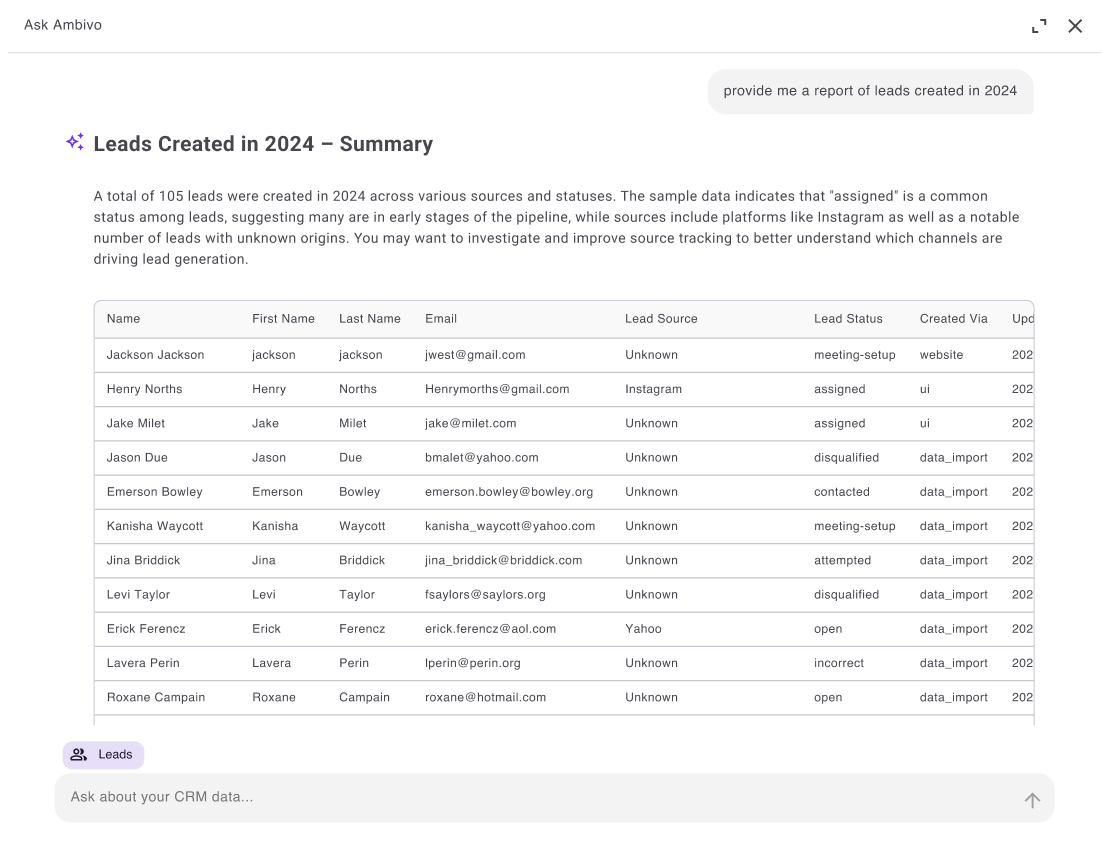
Ask Ambivo reads the same data your team works in: your pipeline, your open invoices, your renewal dates. Ask questions in plain English and get answers from live records. Describe an automation or a new data model and it will build that too.
Customer journey
See how this fits the way your team works, from the first step to the result.
From a question to a finished action
See how Ask Ambivo turns a plain-English question into an answer, a draft or a running automation. It uses your live data at every step.
Question asked
Type a question or request in plain English from anywhere in the app.
Context gathered
Ask Ambivo reads live records across CRM, Books, ERP, and custom objects for your tenant.
Grounded answer
You get an answer built from your real pipeline, invoice and renewal data.
Automation drafted
Describe a workflow or object you want and Ask Ambivo proposes triggers, fields, or relationships.
Refined in the builder
Review and adjust the draft in the visual workflow builder or Object Studio before anything runs.
- 6
Published & running
Turn it on. The automation or object goes live on the platform your team already uses.
Key capabilities
Your AI co-pilot with context across CRM, Books, ERP, custom objects, and workflows.
Platform-wide context
Ask about deals, customers, orders, ledger balances and custom objects. Ambivo reads your own records.
Create custom workflows
Describe the automation you want in plain English. Triggers when a lead arrives, conditions on deal stage, actions such as email, tasks or record updates. Ask Ambivo shapes the flow. You adjust it in the visual builder, then turn it on.
Create custom objects
Open Object Studio and tell Ask Ambivo what you need to track: projects, contracts, memberships or anything else. It creates the fields, picklists and relationships. You review them, adjust and publish.
Draft & summarize
Generate follow-up emails, summarize account history, and recap meetings from logged activity.
Actionable suggestions
Surface stalled deals and overdue tasks with recommended next steps.
What you can do
- Natural-language Q&A on CRM, Books, and ERP data
- Email and message drafting with customer context
- Create custom workflows from a prompt, with triggers, conditions, delays and actions
- Build custom objects in Object Studio, with fields, types and lookups from plain language
- Deal risk and pipeline health insights
- Bank balances, transactions and spending by category
- Guided deal-close and e-signature workflows
- Available wherever you work in Ambivo
Part of the Ambivo platform
Works with CRM
Lead management, pipeline visibility and deal closing, made simple.
Explore CRMTry Ask Ambivo on Ambivo
Free plan available. No credit card required.